How to fix weak WiFi: Extender, mesh or something else?
.jpg) • 16 Sep 2026
• 16 Sep 2026
Could either of these devices be the solution to your issues?
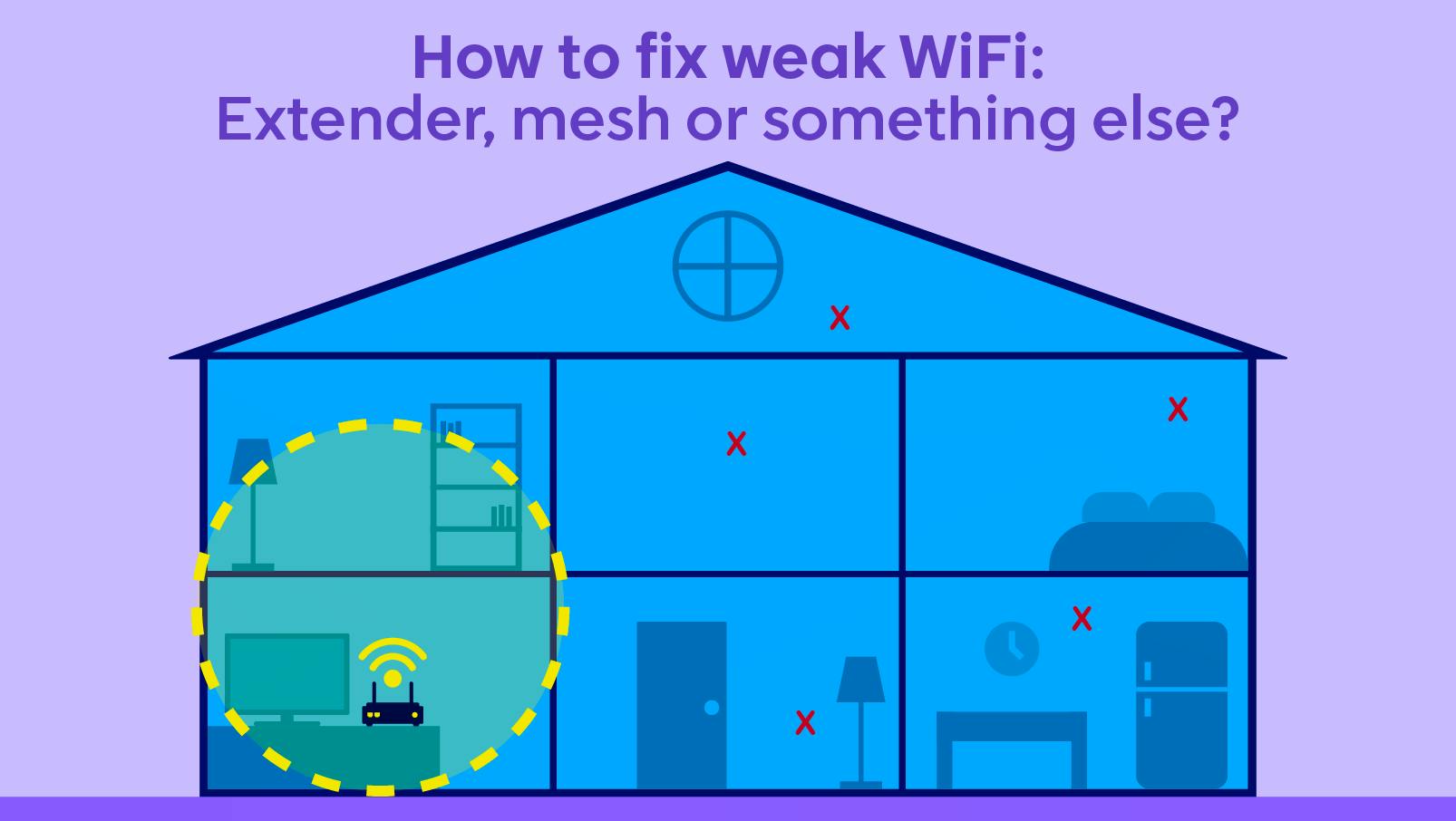
Slow WiFi in one room, constant dropouts upstairs or a signal that seems to disappear the moment you leave the router behind?
The problem might not be your broadband connection at all. Sometimes, your broadband speed is perfectly fine but the WiFi signal simply isn't reaching every corner of your home.
Two of the most common solutions are WiFi extenders and mesh WiFi systems. Both can improve coverage, but they go about it in different ways and suit different types of homes.
Here's how each works, when they can help and what else you can try before spending any money.
First, is your broadband slow or is it your WiFi?
Before buying any new equipment, it is worth working out where the problem actually lies.
If your connection is fast and reliable when you're close to your router but becomes slower in bedrooms, upstairs or at the other end of the house, your WiFi coverage is probably the issue.
Distance, thick walls, furniture and even where your router is positioned can all weaken the wireless signal.
If speeds are poor everywhere in your home, including close to the router or through an Ethernet connection, the problem may instead be your broadband connection or package.
WiFi extenders
A simple fix for individual dead spots
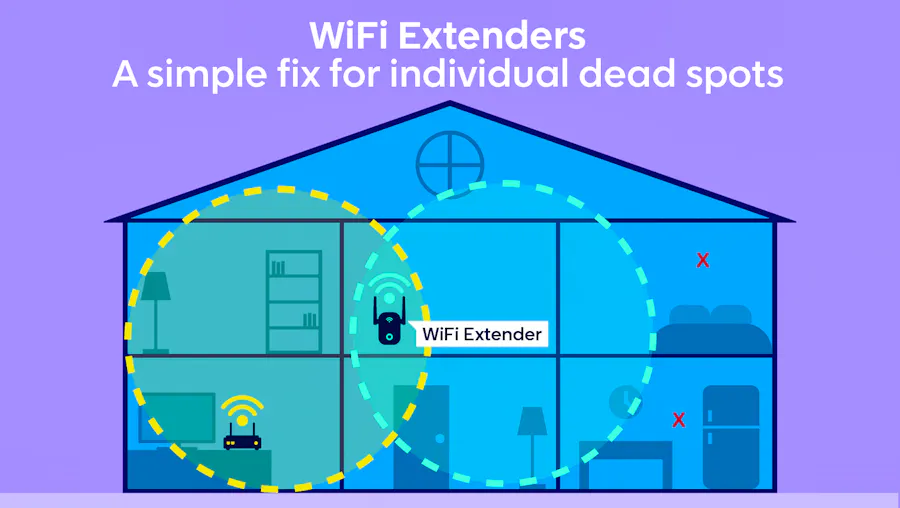
A WiFi extender, sometimes called a booster or repeater, takes the wireless signal from your existing router and rebroadcasts it further around your home.
Most plug directly into a mains socket and are positioned somewhere between your router and the room where coverage is poor.
They can be a useful and relatively inexpensive solution if your WiFi works well throughout most of your property but struggles to reach one particular area, such as a bedroom, home office or converted loft.
Advantages of WiFi extenders
- Usually affordable: A single extender generally costs less than a full mesh system.
- Simple to install: Most can be added to your existing router without replacing anything.
- Good for isolated dead spots: Ideal if only one area of your home has poor WiFi.
Disadvantages of WiFi extenders
- Speeds can drop: The process of receiving and rebroadcasting the signal can reduce performance.
- Placement matters: Put it too far from the router and it may simply repeat an already weak signal.
- Separate networks: Some extenders create another WiFi network that your devices need to switch between.
Mesh WiFi:
Designed for wider home coverage.
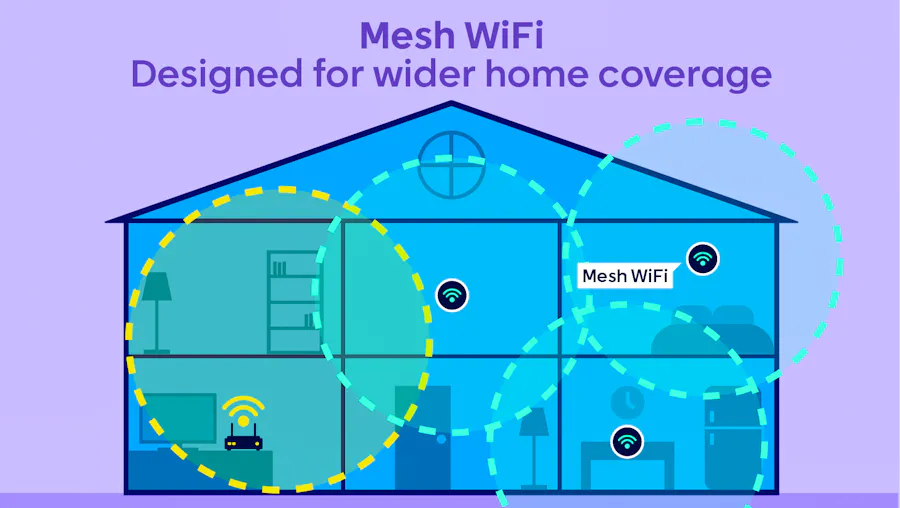
A mesh WiFi system takes a different approach.
Instead of relying on one router and a separate booster, mesh WiFi uses several connected devices known as nodes or points placed around your property.
These nodes work together to create one larger WiFi network, helping provide more consistent coverage between rooms and floors.
Your phone, laptop and other devices can usually move between the different nodes automatically without you having to change networks yourself.
Advantages of mesh WiFi
- Better whole-home coverage: Particularly useful for larger or multi-storey properties.
- One WiFi network: Nodes usually share the same network name and password.
- Easy to expand: Many systems allow you to add extra compatible nodes later.
- More seamless: Devices can connect to whichever node provides the strongest connection.
Disadvantages of mesh WiFi
- More expensive: A multi-node system generally costs more than a standard extender.
- Can be overkill: A smaller home with one minor dead spot may not need a full mesh setup.
- Still needs good placement: Nodes need a reliable connection with one another to work effectively.
WiFi extender vs mesh WiFi: Side-by-side
Feature | WiFi extender | Mesh WiFi |
| Best suited to | One or two weak-signal areas | Wider coverage across several rooms or floors |
| How it works | Repeats your router's existing WiFi signal | Uses multiple connected nodes to create one network |
| Network setup | May create a separate network | Usually uses one network throughout |
| Coverage | More targeted | Designed for whole-home coverage |
| Performance | Can lose speed when repeating the signal | Generally offers more consistent performance between nodes |
| Cost | Usually cheaper | Usually more expensive |
| Expanding coverage | Additional extenders can be added | Extra compatible nodes can usually be added |
How do extenders and mesh WiFi compare on speed?
Not necessarily, but mesh WiFi can often provide more consistent speeds over a wider area.
A traditional extender receives your router's WiFi signal before sending it out again, which can reduce the speed available to connected devices.
Mesh systems are built specifically to communicate between several nodes. Some also use a dedicated connection between nodes, known as backhaul, which can help maintain performance.
That does not mean an extender will always be slow. A modern extender in the right position can work perfectly well, particularly if you only need to improve coverage in one room.
Can extenders and mesh WiFi work together?
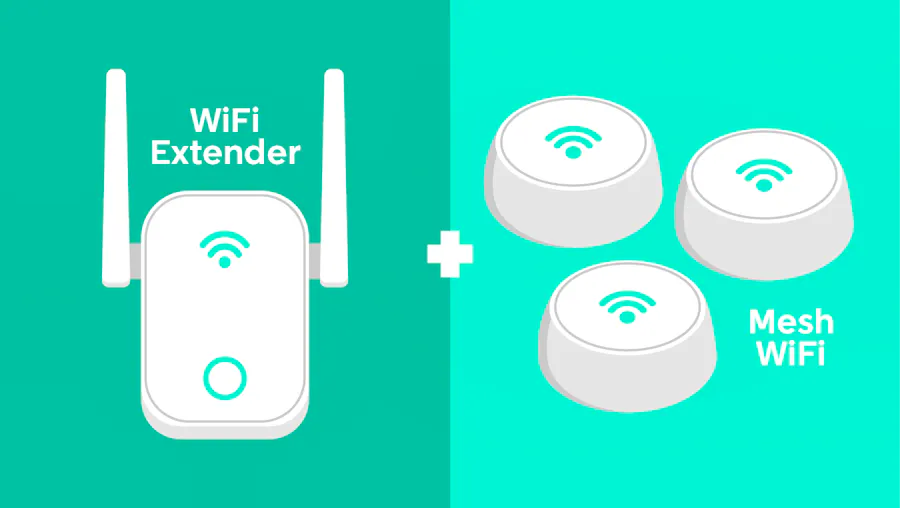
It may be possible, but it is usually unnecessary.
Mesh systems are designed to provide coverage through their own connected nodes, while adding a standard extender could create another network and make the setup less seamless.
If your mesh system does not quite reach far enough, adding another compatible mesh node is usually the better option.
Which option is right for your home?
There is no single solution that suits every property.
A WiFi extender could make sense if your existing WiFi is generally reliable and you simply want to improve the signal in one troublesome room.
A mesh WiFi system may be worth considering if weak coverage affects several rooms, you live in a larger or multi-storey home, or you want a single network covering the whole property.
Think about where your WiFi problems occur before deciding. There is little point paying for a complete mesh system if moving your router or adding one extender would solve the problem.
Other ways to improve weak WiFi
An extender or mesh system should not necessarily be your first move. There are several simpler options worth trying:
- Move your router: Keep it somewhere central, open and off the floor where possible.
- Use Ethernet: A wired connection can provide a fast and stable connection for TVs, consoles and computers.
- Try powerline adapters: These use your home's electrical wiring to carry the connection between rooms.
- Upgrade an old router: Newer routers can offer improved WiFi standards, capacity and coverage.
- Check your provider's equipment: Some broadband providers offer WiFi boosters or whole-home WiFi add-ons with certain packages.
Could it be time to change broadband?
If WiFi coverage is only poor in certain rooms, changing provider or upgrading your broadband speed may not solve the underlying problem.
But if your connection is slow everywhere, regularly drops out or no longer keeps up with how your household uses the internet, it could be worth checking what other broadband deals and speeds are available at your address.
Improving the WiFi around your home can only make better use of the broadband connection you already have. If that connection itself is the problem, it may be time to look at the package behind it.
If you’re leaning towards switching or upgrading your broadband, use the postcode checker here on Broadband Finder to find and compare providers and packages available to you to find something that suits your wants and needs.
Find a Deal
Enter your postcode to see the latest offers in your area.
Don't miss our latest deals
Sign up to receive unmissable offers and the latest news on TV, broadband, energy, phones and more.








Latest News






Broadband Speed Test
Find out whether you could be getting faster home broadband speeds. Our speed test will check your current broadband and let you compare with other speeds in your area.
Test your broadbandBroadband Usage Calculator
Answer a few quick questions and our broadband usage calculator will give you a data estimate for your household. Using this we'll recommend the best kind of deal for you.
Calculate